
How to Enroll in KDP Select (Complete Guide for Authors in 2026)
Most authors treat Amazon KDP enrollment as a simple checkbox. They click enroll, wait, and wonder why nothing happens. The truth is, joining KDP Select is just the beginning. What you do before, during, and after enrollment determines whether your book quietly sits in Amazon's catalog or starts climbing the charts.
We’ll now walk you through everything you need to know about KDP Select in 2026, from what it is and how it works, to step-by-step enrollment, smart strategies, honest pros and cons, and how Best Selling Publisher helps authors like you go from enrolled to earning.
What Is KDP Select and How Does It Work?
Definition of KDP Select
KDP Select is a voluntary program within Kindle Direct Publishing that gives authors access to exclusive promotional tools and expanded royalty benefits. In exchange, you agree to make your eBook available exclusively through Amazon for a 90-day enrollment period.
Think of it as a focused partnership with Amazon. You give them exclusivity on your digital book, and in return, they give you better tools, higher visibility, and access to their massive subscription reader base.
How KDP Select Differs from Regular KDP
With standard Kindle Direct Publishing, you can publish your eBook on Amazon while also listing it on Apple Books, Kobo, Barnes and Noble, Google Play, and other platforms. You keep full distribution control but miss out on KDP Select's exclusive features.
KDP Select adds a layer on top of regular KDP. Your book stays on the same platform, but you unlock Kindle Unlimited access, promotional tools, and higher royalty rates in select global markets, all tied to that 90-day exclusive window.
The 90-Day Exclusivity Rule Explained
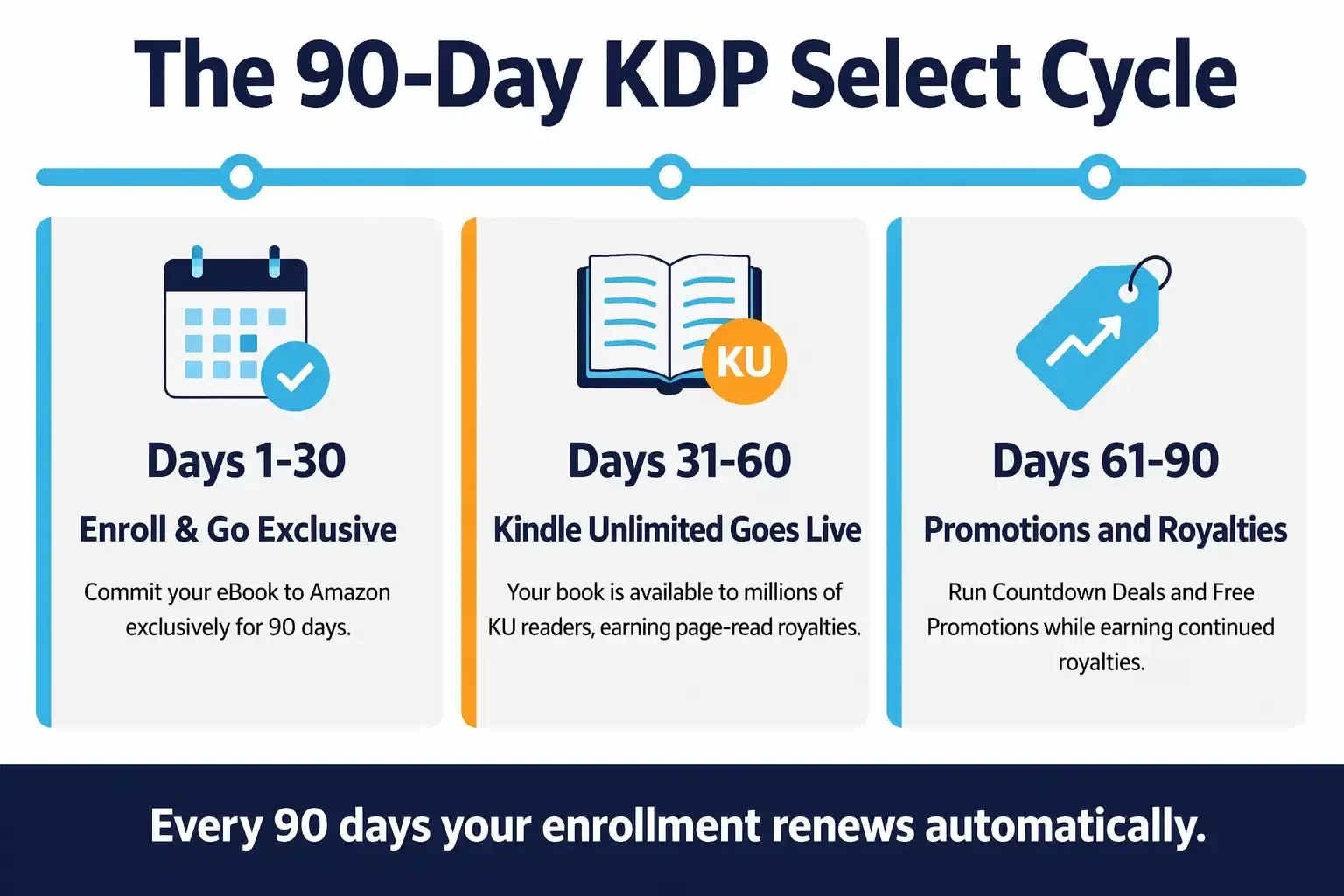
When you enroll in KDP Select, you commit your eBook to Amazon exclusively for 90 days. During this time, you cannot sell or distribute the digital version of your book anywhere else, including your own website.
Important to note: this rule applies only to your eBook. Your print-on-demand books and audiobooks are completely unaffected. You can continue selling those through any channel. Once the 90-day period ends, you can choose to renew or opt out and go wide on other platforms.
What Happens When You Enroll Your eBook
The moment you enroll, your eBook is automatically added to Kindle Unlimited (KU), Amazon's subscription reading service. Millions of KU subscribers can then read your book at no extra cost to them. You earn royalties based on how many pages they read, tracked through Amazon's KENP (Kindle Edition Normalized Page Count) system.
You also gain access to two promotional tools: Kindle Countdown Deals and Free Book Promotions. These can be used strategically throughout your 90-day term to drive downloads, boost rankings, and build readership.
Key Benefits of Enrolling in KDP Select
Access to Kindle Unlimited (KU)
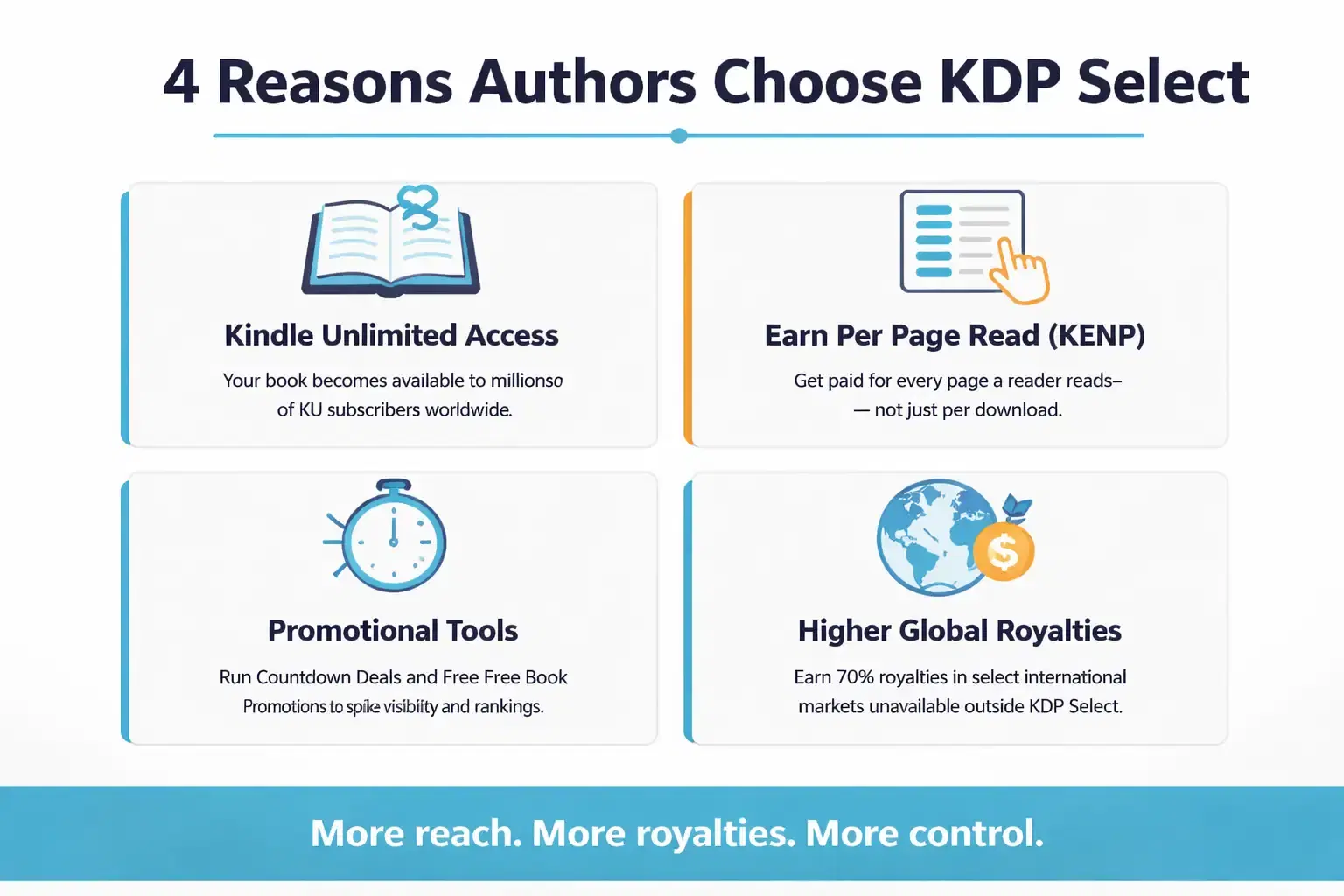
Kindle Unlimited is one of the most powerful distribution channels in the eBook publishing world. With millions of active subscribers who read voraciously, your book becomes accessible to a huge audience that might never have found or bought it otherwise.
KU readers tend to read more books per month than average buyers. Getting into their reading queue, especially early in your launch, can create a snowball effect of reads, reviews, and organic discovery.
Earn Money Per Page Read (KENP Model)
This is where KDP Select becomes genuinely exciting. Instead of only earning when someone buys your book, you earn every time a KU subscriber reads a page. Amazon calculates your payout based on your share of the total pages read across the entire KU library that month.
For authors with longer books or series, this model can generate consistent passive income. A single engaged reader who finishes a 300-page novel contributes meaningfully to your monthly earnings, even if they paid nothing directly for your book.
Kindle Countdown Deals and Free Promotions
Kindle Countdown Deals let you temporarily discount your book while showing readers exactly how much time is left on the promotion. This urgency-driven format consistently drives more sales than a standard price drop because readers feel the ticking clock.
Free Book Promotions let you offer your book at zero cost for up to 5 days per enrollment period. While you earn nothing directly during that window, a well-timed free promotion can generate thousands of downloads, push your book into Amazon book publishing charts, and trigger the algorithm to recommend your book long after the promotion ends.
Higher Royalty Opportunities
With self-publishing on Amazon through KDP Select, you can earn 70% royalties in more international markets than standard KDP allows. In countries like Brazil, Japan, Mexico, and India, non-Select authors are limited to 35% royalties, but KDP Select opens the door to the full 70% rate.
For authors building a global readership, this royalty difference adds up quickly. A book selling even modestly in multiple international markets can see a significant income difference over time.
Requirements to Enroll in KDP Select
Exclusivity Requirements (Critical Section)
This is the part most authors overlook. KDP publishing requirements for the Select program are strict about exclusivity. Your eBook's digital content must not be available anywhere else online, including your own website, Patreon, newsletter, or any third-party retailer.
Amazon does monitor compliance. If they find your eBook available elsewhere during your enrollment period, they can remove your book from KDP Select, withhold royalties, or take further action. Before enrolling, make sure you have removed your eBook from every other platform.
Eligible Book Types
Not all content qualifies for KDP Select. To be eligible you must hold the exclusive digital rights to the primary content, and the eBook must stay exclusive to the Kindle Store for the whole term. A previously published book can be enrolled provided you still control those digital rights and withdraw it from other stores. Public domain content does not qualify. Amazon also excludes content that exists primarily to drive traffic to another service or that is considered low-quality or auto-generated.
Fiction, non-fiction, poetry, children's books, and most genre categories are eligible. If you're unsure whether your book qualifies, checking Amazon's content guidelines before enrollment saves you from a rejected submission.
Content and Distribution Restrictions
Beyond the exclusivity rule, Amazon requires that your content meets its quality standards. Books with formatting errors, missing or incorrect metadata, or content that violates Amazon's content policies will be rejected or removed.
You also cannot include content in your eBook that links to competing book retailers or that promotes purchasing the book from other platforms. The eBook must be self-contained and oriented toward the Amazon ecosystem.
What You Can Still Sell Outside Amazon (Print, Audio)
Here is the good news that many authors miss: the exclusivity rule only applies to your eBook's digital format. Your print-on-demand books can still be sold on IngramSpark, Barnes and Noble, your own website, and anywhere else. Your audiobook remains completely free to distribute through ACX, Voices by INaudio (formerly Findaway Voices), or any other platform.
This means KDP Select exclusivity is less restrictive than it sounds. Many authors successfully run wide print and audio distribution while keeping their eBook exclusively on Amazon through KDP Select.
Step-by-Step Guide to Enroll in KDP Select
Step 1: Log Into Your KDP Account
Go to kdp.amazon.com and log in with your Amazon Author Central credentials or your regular Amazon account. If you haven't set up your KDP account yet, you'll need to complete that first, including adding your tax information and bank account for royalty payments.
Step 2: Select Your eBook from Bookshelf
Once you're inside your KDP dashboard, navigate to your Bookshelf. Find the eBook you want to enroll in KDP Select. If your book isn't published yet, you'll need to complete the title setup process first before you can enroll.
Step 3: Click "Enroll in KDP Select"
On your book's details page, you'll find the KDP Select enrollment option. Before you click, double-check that your eBook has been removed from all other digital platforms. Once you enroll, Amazon's exclusivity terms are immediately in effect.
Step 4: Accept Terms and Conditions
Amazon will present you with the KDP Select Terms and Conditions. Read through them carefully. They outline your exclusivity obligations, what you can and cannot do during the enrollment period, and the consequences of violating the terms.
Step 5: Confirm Enrollment
After accepting the terms, confirm your enrollment. Your book will typically be added to Kindle Unlimited within 24 to 72 hours. You'll receive a confirmation and your 90-day enrollment period clock starts from the moment of confirmation.
What Happens After You Enroll in KDP Select?
Automatic Enrollment in Kindle Unlimited
Within a few days of enrolling, your book appears in the Kindle Unlimited library. Subscribers browsing in your genre can find and start reading your book. The speed of discovery depends heavily on how well your book is optimized for Amazon's search and recommendation systems.
How You Get Paid (Pages Read vs Sales)
Your earnings during KDP Select come from two streams. Direct purchases earn you 70% royalties only if you opt into that tier and meet its conditions: a list price inside the band ($2.99 to $12.99 on Amazon.com), a price at least 20% below any physical edition, and a sale in an eligible marketplace. Outside those conditions you earn 35%, including in the US, and the 70% rate is calculated after VAT and per-megabyte delivery costs. KU page reads earn you a per-page rate based on the monthly KDP Select Global Fund, which Amazon distributes to authors based on total pages read.
Amazon pays these out monthly, approximately 60 days after the end of each calendar month. You can track your KU page reads and sales separately in your KDP reports dashboard, which refreshes every 15 minutes. Sales appear within about 24 hours of the order, while KENP totals take 24 to 48 hours and are not finalised until around the 15th of the following month.
Promotion Tools You Can Use
During each 90-day term you can run either a Free Book Promotion of up to 5 days or one Kindle Countdown Deal, not both, and Countdown Deals are limited to Amazon.com and Amazon.co.uk. Timing these promotions strategically, rather than using them randomly, is the difference between a launch that fizzles and one that generates real momentum.
Auto-Renewal After 90 Days
By default, KDP Select auto-renews every 90 days. If you decide KDP Select isn't right for your book long-term, you need to opt out before the renewal date. You can do this inside your KDP dashboard by turning off auto-renewal for that specific title. Missing this window means you're locked in for another 90-day term.
Pros and Cons of KDP Select (Honest Breakdown)
Pros of KDP Select
- Access to millions of Kindle Unlimited subscribers who read constantly
- Passive income from page reads, even when direct sales slow down
- Promotional tools (Countdown Deals and Free Days) that drive ranking boosts
- 70% royalties in international markets otherwise limited to 35%
- Algorithm favorability: Amazon tends to recommend KU titles more aggressively
Cons of KDP Select
- Complete digital exclusivity to Amazon for 90 days at a time
- No revenue from Apple Books, Kobo, Google Play, or other platforms
- KU payout rates fluctuate monthly based on the global fund
- Auto-renewal can catch authors off guard if not managed
Risks of Exclusivity
The biggest risk isn't financial. It's audience concentration. If you build your entire readership inside the Amazon ecosystem and Amazon changes its policies, algorithms, or payout structure, your income is fully exposed to that change. Authors who rely solely on KU without building direct reader relationships are the most vulnerable.
When KDP Select Is NOT Worth It
If your book has an established, loyal audience on other platforms like Kobo or Apple Books, pulling it to go exclusive could cost you more than you gain. Similarly, if you write in genres with strong non-Amazon communities, such as certain romance subgenres popular on Kobo in Canada, or literary fiction with a library-heavy audience, wide distribution may serve you better.
KDP Select vs Publishing Wide (Which Is Better?)
What Does "Publishing Wide" Mean?
Publishing wide means distributing your eBook publishing titles across multiple platforms simultaneously, including Amazon, Apple Books, Kobo, Barnes and Noble, Google Play, Everand, and others. You sacrifice Amazon-exclusive benefits but gain a diversified distribution footprint.
Revenue Comparison
Here is an honest comparison to help you decide:
| Factor | KDP Select | Publishing Wide |
|---|---|---|
| Amazon Revenue | Higher (KU + promotions) | Standard (sales only) |
| Other Platforms | None (excluded) | Full access |
| Audience Reach | Amazon only | Global multi-platform |
| Promo Tools | Countdown + Free Days | Platform-specific only |
| Risk Level | Higher (single platform) | Lower (diversified) |
| Best For | New authors, genre fiction | Established authors, niche audiences |
KDP Select vs Publishing Wide: Final Verdict
KDP Select is best for authors who want to maximize visibility inside Amazon, especially through Kindle Unlimited and promotional tools. It works particularly well for new authors, genre fiction writers, and anyone focused on fast ranking and algorithm-driven discovery.
Publishing wide is better for authors who want long-term stability, diversified income streams, and access to multiple marketplaces like Apple Books, Kobo, and Google Play. It reduces dependency on a single platform and works well for established authors or niche audiences.
The right choice depends on your goals. If you want speed and Amazon-focused growth, KDP Select is stronger. If you want control, stability, and broader reach, publishing wide is the better strategy.
Is KDP Select Worth It for New Authors?
Best Scenarios to Use KDP Select
KDP Select is ideal for new authors who are just starting onAmazon book publishing and have no existing audience on other platforms. If you're starting from zero, concentrating your efforts on Amazon gives you the best shot at early visibility, and KU gives readers a low-risk way to try your work.
It also makes strong sense if you're writing in a series. KU readers who love your first book will binge-read the rest of the series, making page reads an excellent revenue stream for serialized fiction authors.
Genres That Perform Best in KU
- Romance (especially contemporary, paranormal, and dark romance)
- Fantasy and science fiction, particularly epic and LitRPG subgenres
- Thriller and mystery series
- Cozy mystery
- Children's chapter books and middle grade fiction
Non-fiction can also perform well in KU, particularly how-to books, business guides, and self-help titles aimed at readers who consume a lot of informational content through their subscription.
When Beginners Should Avoid It
If you have already built a following on another platform, moving to KDP Select exclusivity could alienate that audience. Similarly, if your target readers are heavy Kobo or Apple Books users, losing access to those platforms will likely cost you more than KU gains you.
Common Mistakes to Avoid When Enrolling in KDP Select
Ignoring Exclusivity Terms
The number one mistake is forgetting that a previous version of the book is still live somewhere online. Authors sometimes enroll and forget about an old Smashwords listing or a PDF they uploaded to their website years ago. Amazon's content monitoring can flag these, so a thorough sweep of your digital distribution before enrollment is essential.
Not Using Promotions Effectively
Having promotional days and never using them is one of the most common missed opportunities. Free days and Countdown Deals are most powerful when aligned with a marketing push, whether that's a BookBub feature, an email newsletter blast, or an Amazon ad campaign. Using them randomly with no supporting push delivers minimal results.
Poor Pricing Strategy
Pricing your book too high relative to the genre average discourages the direct purchases that complement your KU reads. Pricing too low can signal low quality to new readers. Research the top 20 bestsellers in your specific category and price accordingly, usually between $2.99 and $5.99 for most genre fiction.
Weak Book Launch Strategy
Enrolling in KDP Select without a launch plan is like opening a restaurant without telling anyone about it. The 90-day window is your best opportunity to build momentum. Authors who come in with a launch team, pre-written reviews, an email list, and scheduled ads consistently outperform those who simply publish and wait.
Expert Tips to Maximize KDP Select Success
Optimize for Amazon SEO (Keywords and Categories)
Your manuscript formatting and metadata are the invisible engine of your Amazon discoverability. Choose three categories where your book can realistically reach the top 100, and target long-tail keywords that match what your ideal reader actually searches for. Generic keywords like 'fantasy novel' compete against millions of books. Specific keywords like 'dark fantasy romance with fated mates' reach readers who are looking for exactly what you wrote.
Leverage Kindle Unlimited Reads
Write for completion. Books with strong hooks, fast pacing, and satisfying endings generate better read-through rates, which signals to Amazon's algorithm that your book is engaging. High read-through rates lead to more recommendations, which lead to more reads. If you're writing a series, make sure each book ends in a way that makes the next one irresistible.
Run Strategic Promotions
Plan your Free Days and Countdown Deals before your enrollment period begins. The most effective approach is to run a Free Day promotion during your first week to drive initial downloads and reviews, then use a Countdown Deal mid-enrollment when your book has some reviews and social proof to convert browsers into buyers.
Build Reviews Quickly
Reviews are Amazon's trust signal. Books with 10 or more reviews consistently outperform similar books with fewer in search rankings and conversion. Before you launch, reach out to your ARC (Advanced Review Copy) readers and ensure they're ready to post their reviews on launch day. A book that launches with 15 reviews starts with a credibility advantage that's very hard to overcome later.
KDP Select Enrollment Checklist
Before Enrollment Checklist
- Remove your eBook from all other digital platforms and retailers
- Remove any digital version from your own website if applicable
- Complete professional manuscript formatting optimized for all Kindle devices
- Finalize your book cover to meet genre standards
- Research and select three optimized categories
- Enter seven targeted keywords in your KDP metadata
- Set your pricing in line with your genre's bestsellers
- Prepare your book description with clear genre signals and hooks
During Enrollment Checklist
- Log into KDP and navigate to your Bookshelf
- Locate the eBook and click Enroll in KDP Select
- Review and accept the KDP Select Terms and Conditions
- Note your enrollment start and end dates
- Confirm auto-renewal settings based on your strategy
- Plan your Free Days and Countdown Deals calendar for the 90-day period
After Enrollment Checklist
- Confirm your book appears in the Kindle Unlimited library (usually within 72 hours)
- Begin your book launch marketing activities
- Track daily sales rank, KU page reads, and category rankings
- Execute planned promotions with supporting ad campaigns
- Collect and monitor early reviews
- Decide before the 90-day end date whether to renew or go wide
Why Most Authors Fail with KDP Select (And How to Succeed)
Lack of Visibility
The biggest reason authors fail in KDP Select isn't the program itself, it's an invisible book. Amazon's catalog has millions of titles. Without proper book cover design for KDP, accurate metadata, and strategic category placement, even a great book gets buried. Visibility is engineered, not accidental.
No Marketing Plan
Enrollment without a marketing plan is the most common failure pattern. Authors assume that being in Kindle Unlimited means readers will find their book automatically. Amazon does recommend books to subscribers, but those recommendations are driven by engagement signals like sales, borrows, reviews, and read-through rates. Without an initial push to generate those signals, the algorithm has nothing to work with.
Poor Positioning
Positioning means placing your book exactly where its ideal reader is looking. Wrong categories, vague descriptions, and generic keywords put your book in front of the wrong people, or no one at all. KDP vs traditional publishing aside, positioning is the one factor that separates authors who see strong sales from those who wonder why no one is reading their work.
Why Choose Best Selling Publisher for KDP Success
Amazon KDP Experts
Our team understands the mechanics of Amazon KDP from the inside. We have helped authors across dozens of genres navigate KDP Select enrollment, metadata optimization, and promotional strategy. We know what Amazon's algorithm rewards and how to position books to take advantage of it.
Proven Book Marketing Strategies
We don't believe in one-size-fits-all marketing. Our approach is built around your specific genre, your target reader, and your launch timeline. From book publishing services to ad campaign management, we bring a strategic lens to every decision that affects your book's performance.
Full-Service Publishing Support
Best Selling Publisher handles the complete publishing workflow: manuscript formatting for Kindle, book cover design for KDP, metadata and keyword research, category selection, account setup, and promotional planning. You focus on writing. We handle everything that turns a finished manuscript into a selling book.
ROI-Focused Approach
Every recommendation we make is tied to outcomes you can measure: sales rank, KU page reads, category bestseller status, and royalty growth. We don't pad our services with unnecessary steps. If it doesn't move the needle for your book, we don't do it.
KDP Select is one of the most powerful tools in a self-published author's toolkit, but only when used with intention. Whether you are launching your first book or relaunching a backlist title, the authors who succeed in KDP Select are the ones who show up prepared. If you want that preparation done right, Best Selling Publisher is ready to help you make the most of every single day of your enrollment.
FAQs
Yes. There is no fee to enroll in KDP Select. It is a free optional program within Kindle Direct Publishing. The only cost is the opportunity cost of exclusivity: you cannot sell your eBook on other platforms during enrollment.
You cannot exit mid-enrollment. Once you enroll, you are committed for the full 90-day period. However, you can turn off auto-renewal at any time before your term ends, which will prevent your book from automatically re-enrolling for another 90 days.
By default, your book auto-renews into another 90-day KDP Select term. If you want to go wide, you need to disable auto-renewal in your KDP dashboard before the renewal date. If you miss the window, you'll need to wait out the new 90-day term before distributing elsewhere.
Not digitally while enrolled. Your print and audio versions have no restrictions. But the eBook's digital content must remain exclusive to Amazon throughout your enrollment period.
Most original books qualify. Content that is in the public domain, auto-generated, primarily promotional in nature, or that violates Amazon's content policies will not be accepted into the program.
Earnings vary significantly. The monthly KDP Select Global Fund, which Amazon distributes based on pages read, has historically ranged from around $19 million to over $40 million per month. Your earnings depend on how many pages your books generate relative to the total pages read across all KU books. Authors with multiple titles in KU, strong series read-through, and active promotional strategies often report KU as their primary income source.